|
Here my little rant and praise place, where the daily experiences of my programming work are expressed.
I publish them with the idea that others might find it useful and benefit from it.
2013/12/14
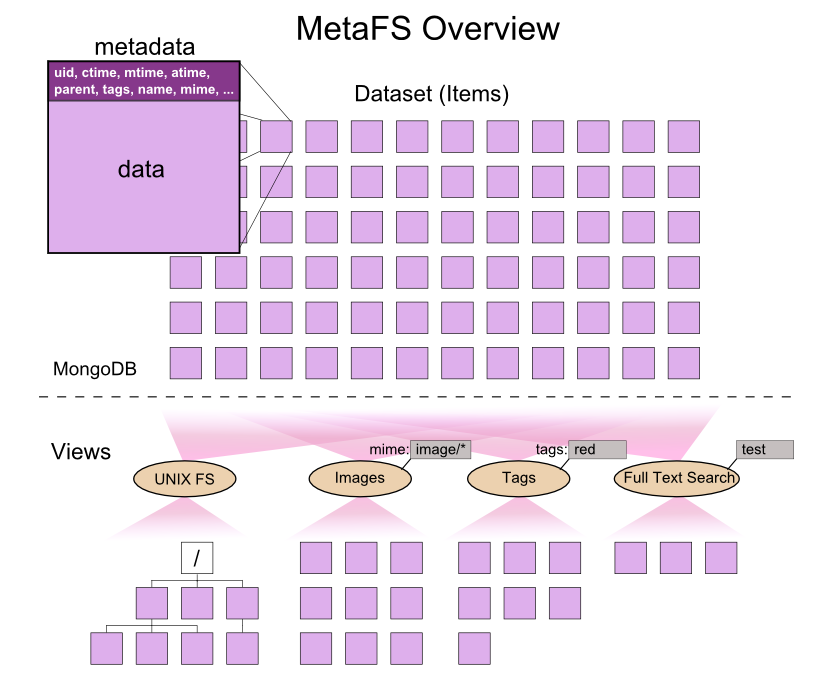
MetaFS - Dealing With Metadata the Proper Way | last edited 2013/12/20 15:04 ( *) As I posted earlier Metadata - The Unresolved Mess  (2012-07) I have started another effort to really bring decade long pondering on the issue together, and MetaFS I started a few weeks ago, and it is slowly growing now:
MetaFS is a "Proof of Concept" meta file system which:
- has no hierarchical constraints, but can have a hierarchical appearance
- free definable metadata & tags for each item
- full text indexing & search on the fly
- content is hashed by default (e.g. maintaining integrity & finding duplicates)
It has been implemented for Linux using FUSE, specifically using the Perl-FUSE module, providing UNIX file system interface for test purposes:
% cp .../Shakespeare/*.txt .

% cp .../Books/*.pdf .

% cp -r .../Photos .
once data is in the MetaFS realm, all data is indexed within seconds (it may take longer if large quantity of new data arrives), as next you can query the indexed data:
% mfind sherlock
... list all files where 'sherlock' was found (.txt, .pdf, .odt etc)

% mfind mime:image/
... list all images

% mfind location:lat=40,long=-10
... list all items (e.g. photos) with near GPS location

% mfind location:city=London,GB
... list all items (e.g. photos) with near GPS location
"No more grep", but all content is fully indexed.
I think a state-of-the-art file system should have the functionality of a database:
- easy to query
- fast searching of content, filename, tags or other metadata (incl. geospatial lookup of GPS coordinates of items)
- flexible views (no constraints on actual structure)
Linux desktops (GNOME, KDE, etc) and Microsoft's Windows (XP,Vista,7,8) have all failed (as of 2013/11) in this regards, metadata information are not handled well, search for content are only available as third party software or are very slow (e.g. post indexing). Apple on the other hand has provided some of the functionality as MetaFS proposes: OS X provides full text search and tagging; yet, it's only available on the OS X platform and is a closed system.
MetaFS goes further, beside being Open Source, it allows you to write your own handlers, e.g. to extract metadata from soundfiles and visualize the waveform, or parse the text content and look for village or city names, and tag the text with GPS coordinates.
You find more information at MetaFS.org .
|
2013/09/02
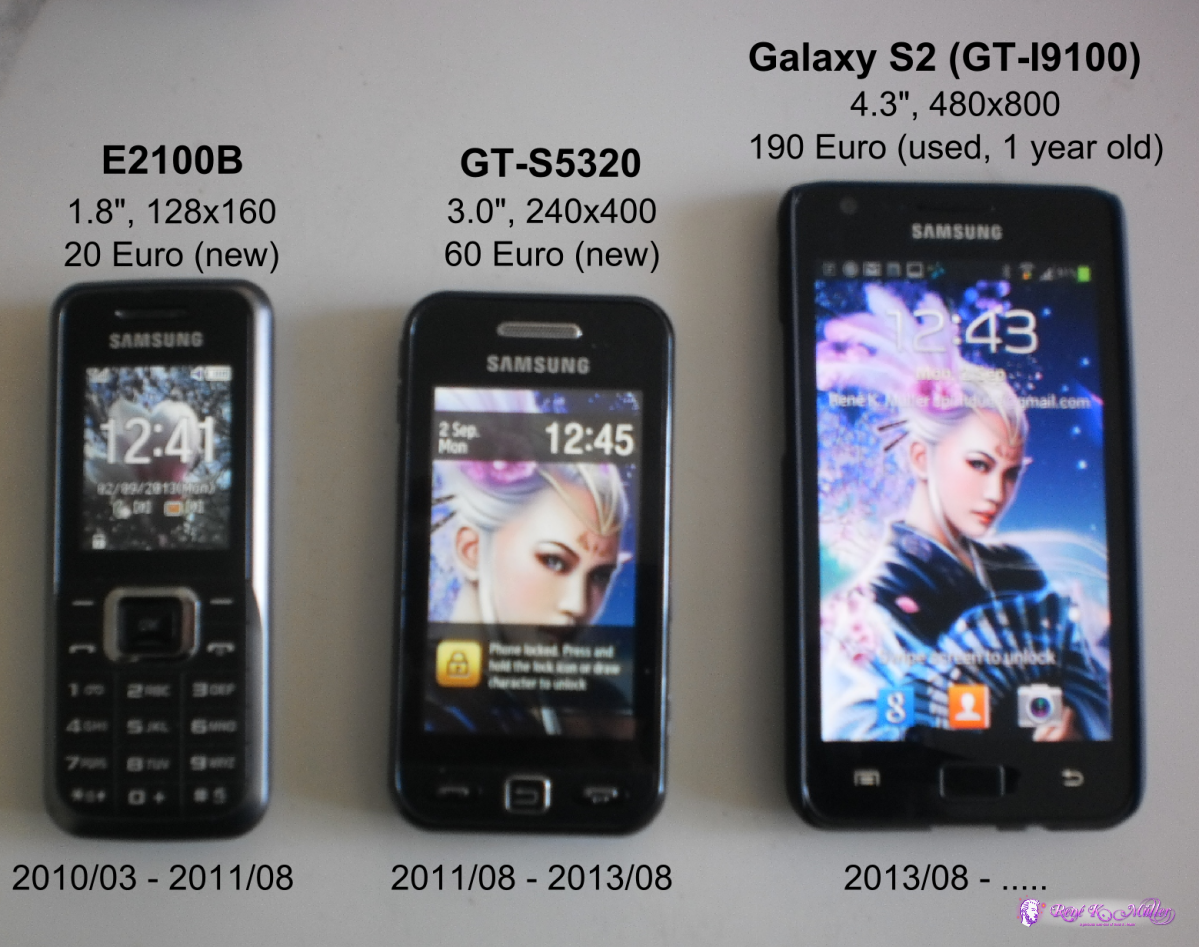
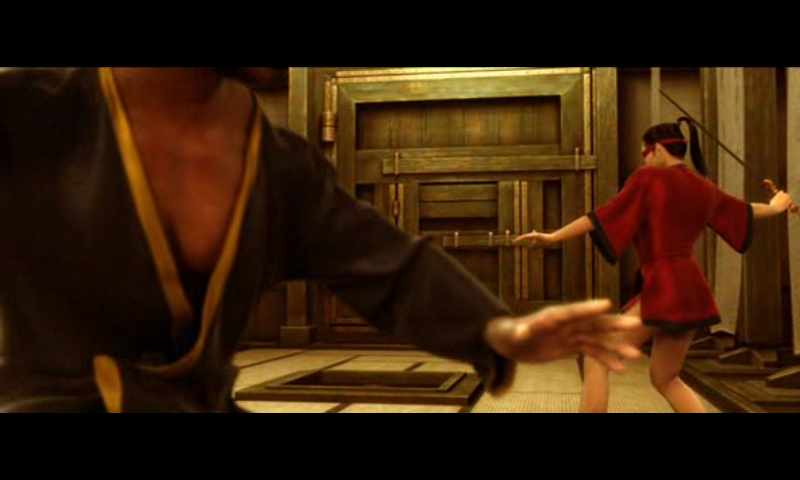
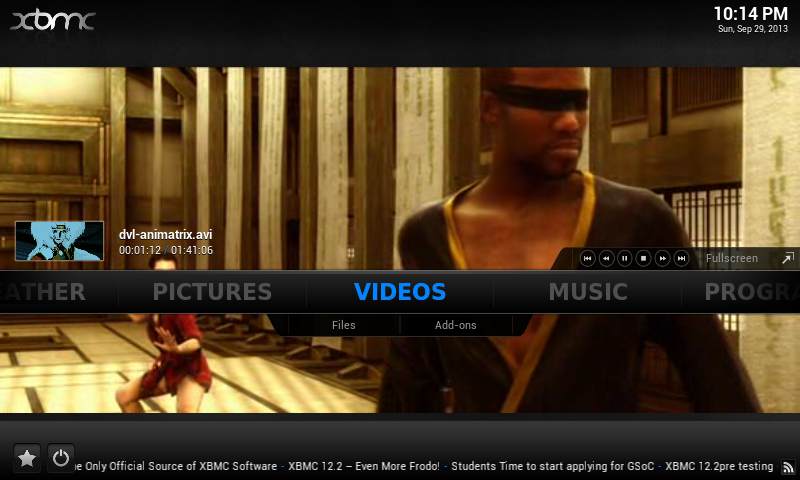
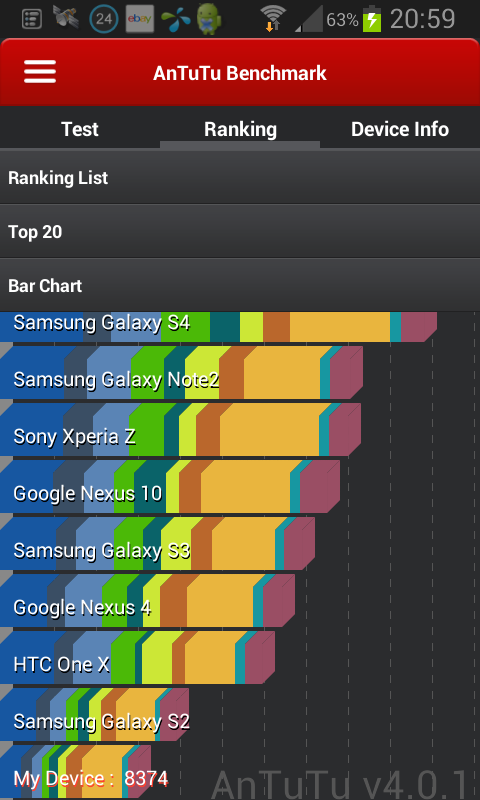
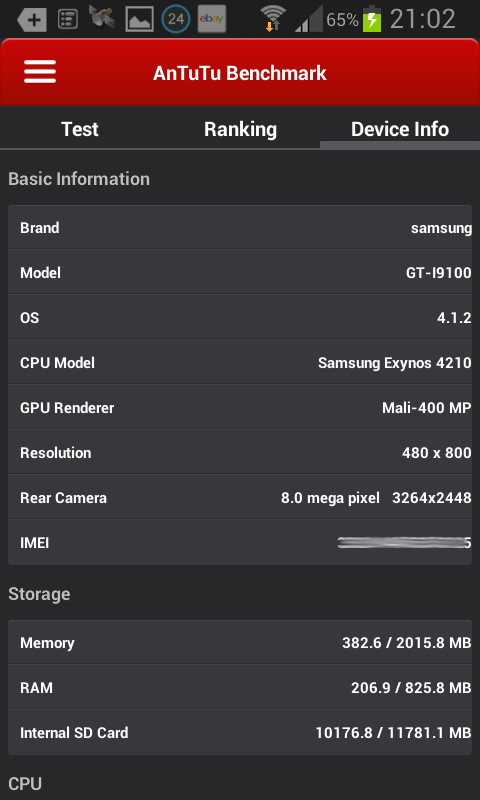
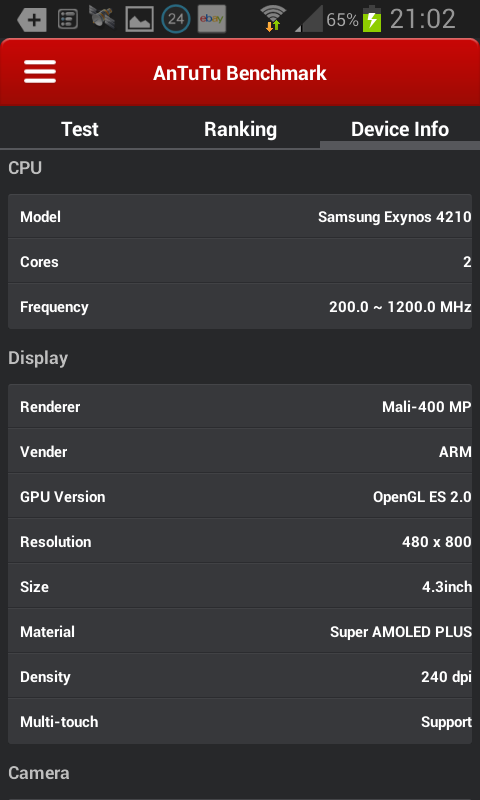
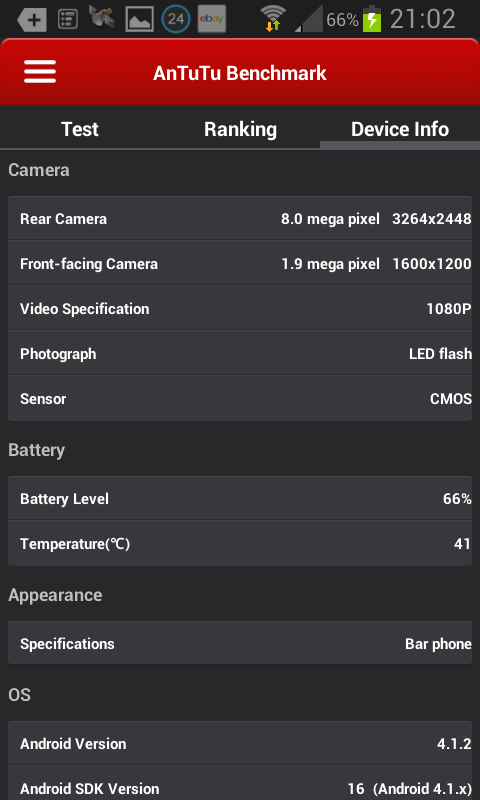
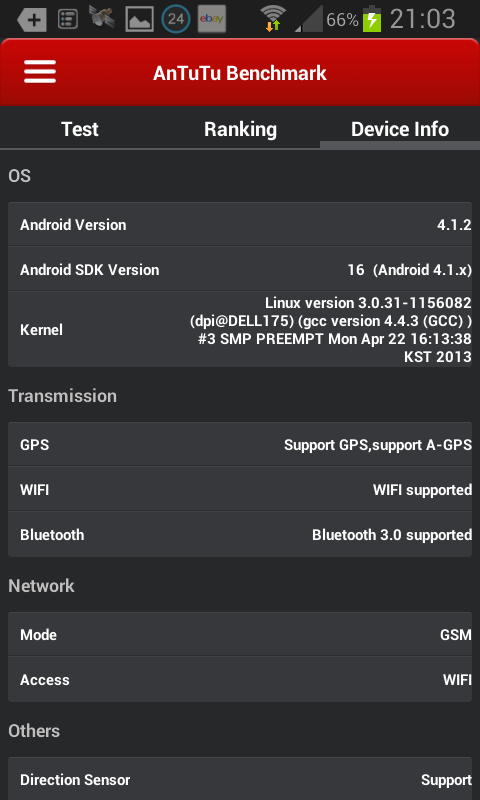
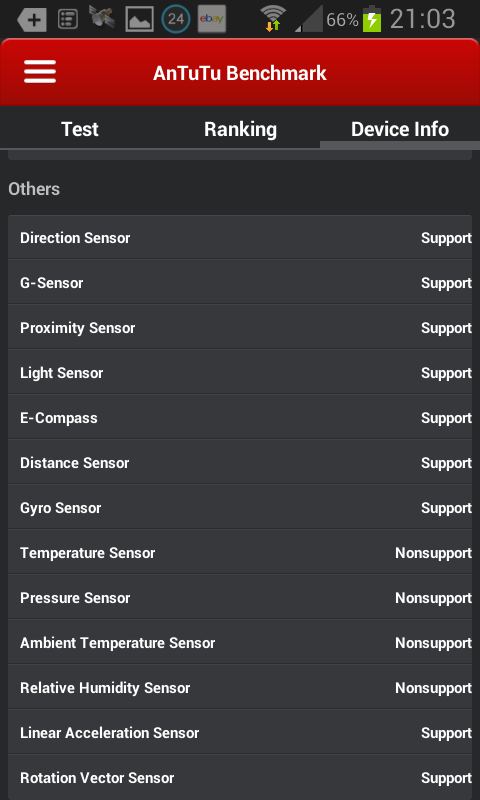
My Cellphones & Smartphone (2010-2013) | last edited 2014/07/13 04:34 ( *) Until recently I wasn't interested in smartphones and used cellphones only to call people and not really use otherwise as my desktop system gave me sufficient possibilities to communicate and work online - there was no reason for me to be online while being underway. Yet, finally I also purchased a smartphone, an used Samsung Galaxy S2 (GT-I9100) with Android 4.1.2 on an online auction site for CHF 230 (~190 Euro). So, I arrived at the smartphone age as well - and I am impressed just after a few days using it:
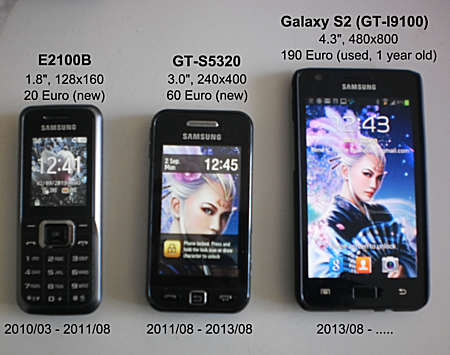
 Cellphones 2010, 2011 Samsung E2100B and GT-S5320, and Smartphone 2013 Galaxy S2 GT-I9100 |
- light and handy device, quite thin with apprx. 10mm with an additional hard plastic shell
- I navigate information faster than on the desktop (surprising)
- the overall user interface and experience is more intuitive than the desktop (Win7 or MacOS-X, or KDE/GNOME).
- applications or apps are easy to install and deinstall; either via the smartphone itself or the desktop
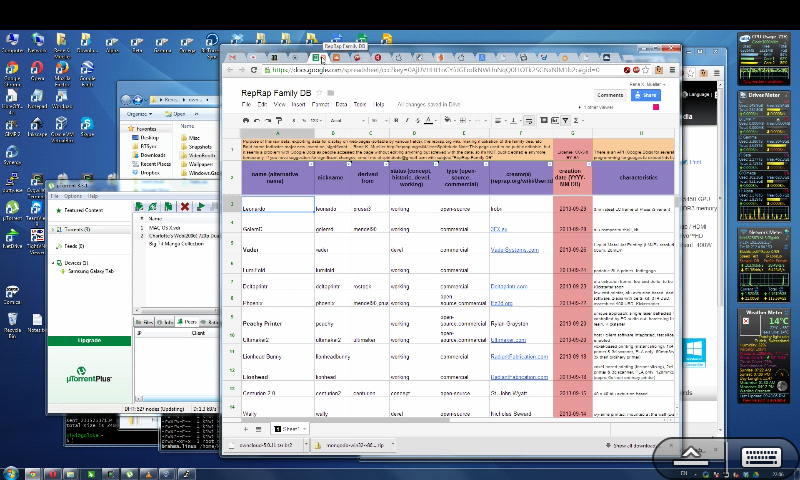
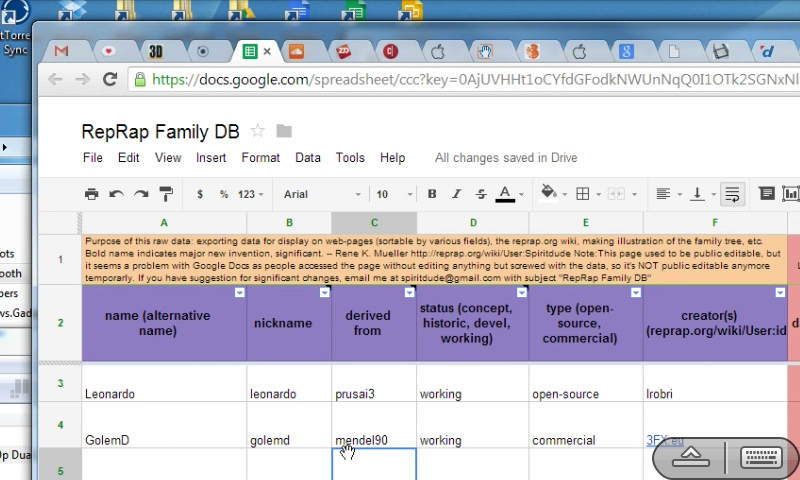
- syncing between smartphone and desktop is simple: G+ photos, Dropbox and BittorrentSync I use right now, and likely go with BittorrentSync: I take a photo or screenshot and it gets synced on my main desktop and/or server right away - no more copy or transfer by hand
- notification overview is great, apps, emails and service notifications are summarized
- found several options of off-line maps and for my bicycle travelings
- GPS tagging of my photos, a feature which was most wanted to document my travelings better (e.g. automatically assign village names to photos)
- battery life is not so great with about 5-6 hours (not even a day) with heavy usage (WiFi, GPS but not gaming); I getting a new 1600mAh battery and additionally a 3500mAh extra battery (update follows)
- requires WiFi nearby as cellular data is still expensive and limited, average use per day is about 200-500MB to my own surprise
I still use the desktop to write emails, but with the Swype keyboard (already installed on the Galaxy S2) I slowly get more used to type on the smartphone. Viewing news (RSS/FB/G+) or photos I already prefer the smartphone as swiping up, down or left and right is faster than most photo galleries on the desktop with keyboard and mouse - you realize how often you switch between keyboard and mouse and with the smartphone you use your thumb to navigate; this leads to the idea to have a touchscreen desktop system, larger than a mobile tablet.
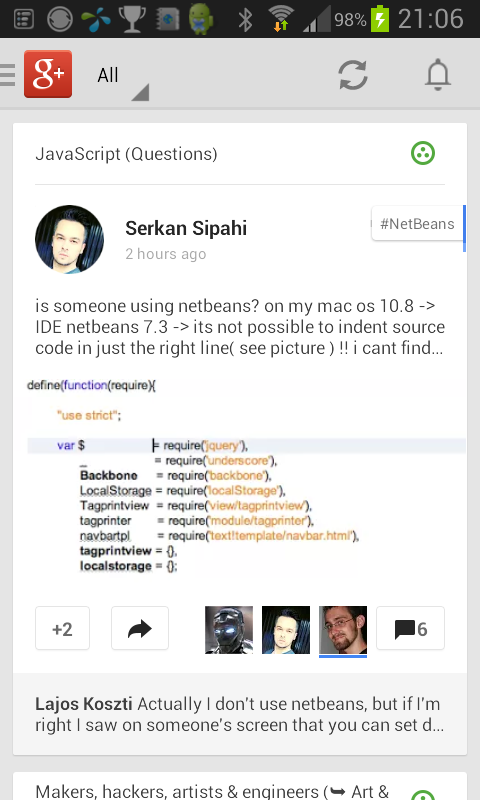
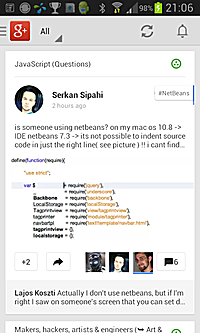 Google+
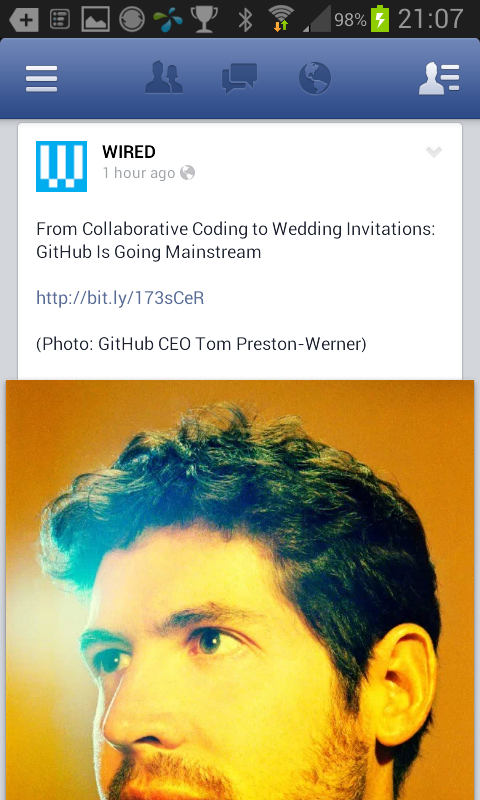
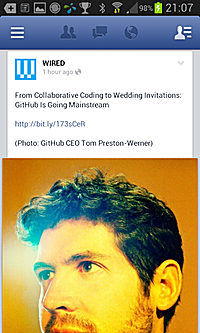 Facebook
 Twitter
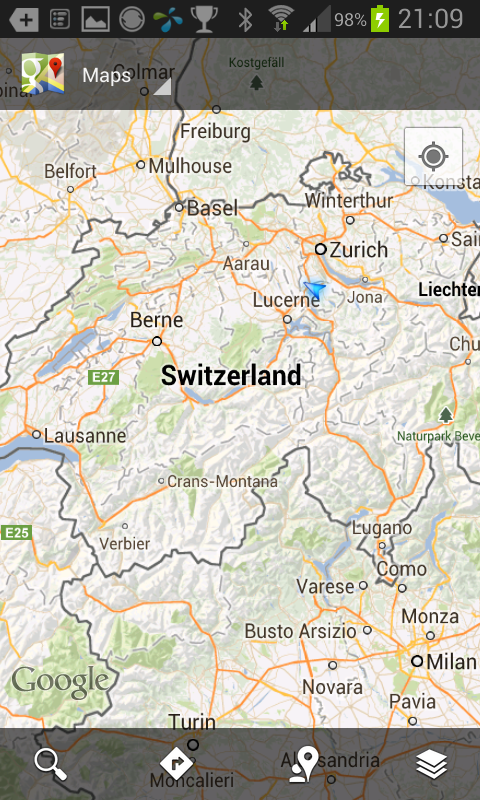
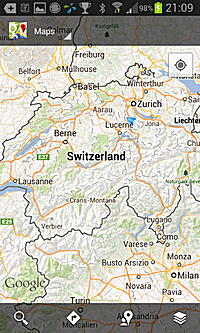 Google Maps
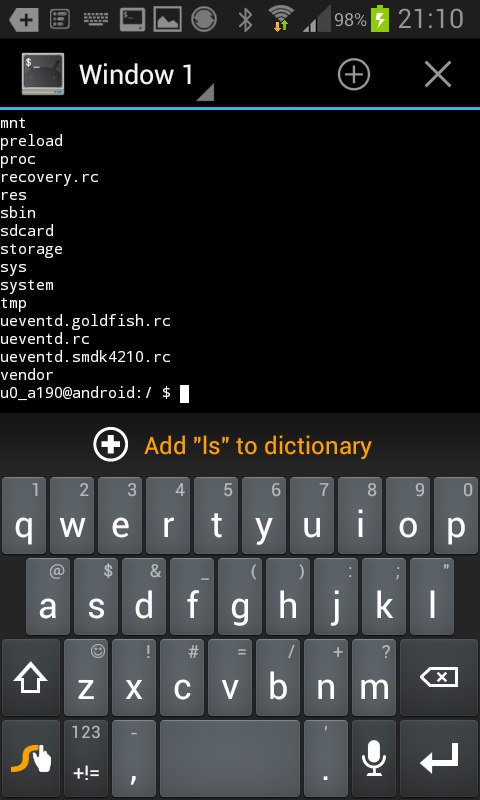
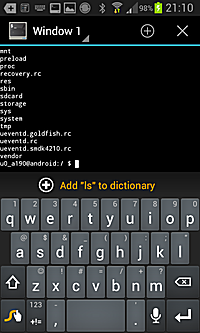 SSH
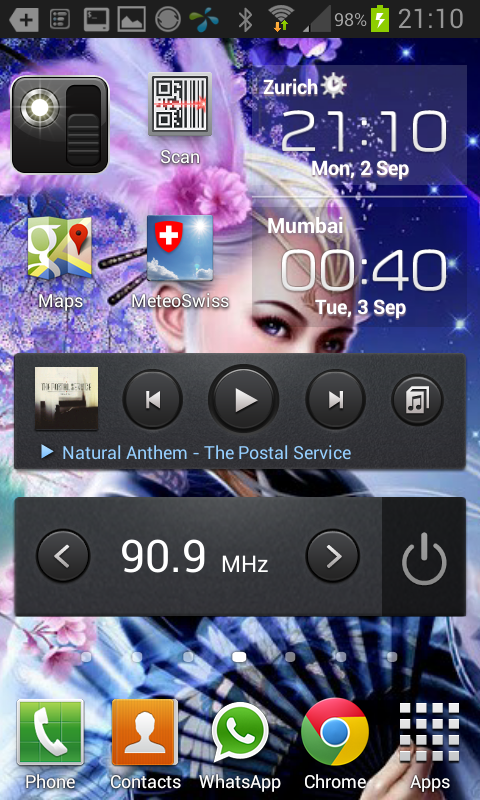
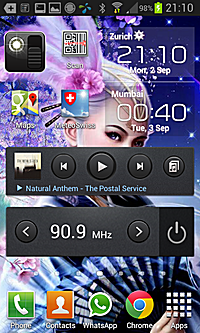 4th of 7 Homepage
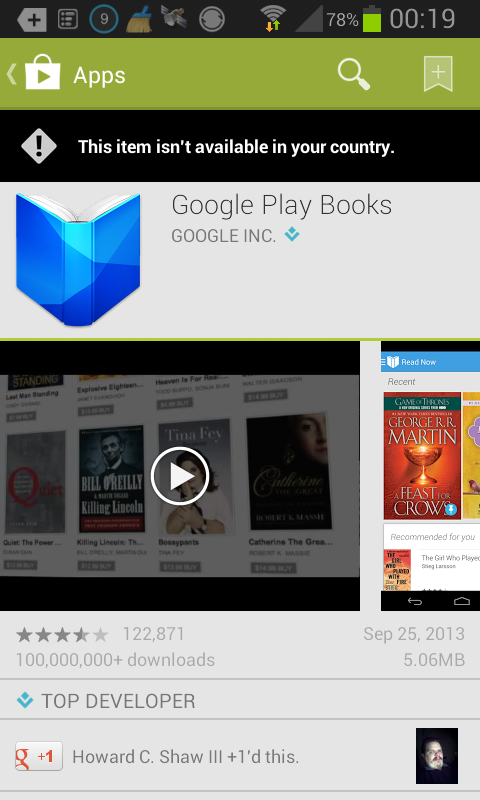
 Google Books not yet in Switzerland (2013/09)
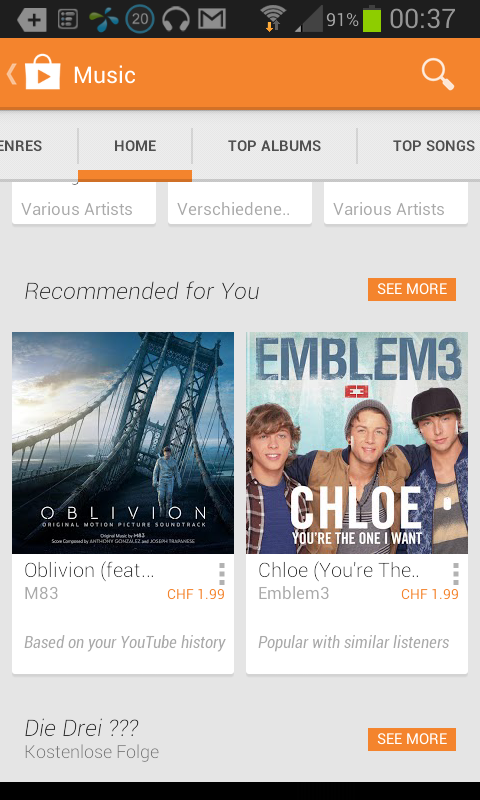
 Google Music available in Switzerland (2013/09)
After a few weeks following problems I discovered:
- updating apps (automatically or manually approved) + connecting the headphone and start radio caused two freezes and actual take out of battery to restart the device
- updating apps give error of insufficient memory, yet, there is sufficient memory - reboot device, and update app succeeds
- Google Play (Google's app store): search for an app, find it, often the input field with prior entered terms re-appear plus the keyboard filling up the entire screen, unable to get rid of both (pushing button to Home)
- unclear state of apps when leaving the app; I do not know whether an app keeps running or not, e.g. I stream a radio broadcast, and while listening I like to surf the net, sometimes the audio stream remains while surfing the net, sometimes it stops.
- music uploaded to the phone is not seen by Music Player, needs a reboot to rescan the 2nd SD card where the music is stored on.
Needless to say, the recent years the desktop innovation has stalled, the keyboard, mouse and screen combo was set; the useability was mediocre, and Linux Desktop until recently was a let down.
I have experimented with Kinect and gesture recognition for a touchless user interface for some contract work I did and found it interesting, yet, Kinect was a bit slow to recognize gestures accurately for a proper user interface interaction and a few times even interpreted gestures wrongly - not mature enough I would say, for gaming Kinect seems to be sufficient.
|
2013/04/27
KDE / Kubuntu 12.04: 10+ years terrible GUI, A Systemic Problem of OSS | last edited 2013/12/14 00:56 ( *) After 2-3 years not looking at KDE & Kubuntu (Ubuntu with KDE) I installed Kubuntu 12.04 - the installation I did via the Windows Installer was terrible:
- Linux kernel failed to boot, I had to add 'nolapic' as boot argument (facepalm)
- outdated packages, Firefox and Chrome failed to install, terrible experience. I upgraded Kubuntu to the latest, and was able to install Firefox and Chrome (not just Chromium).
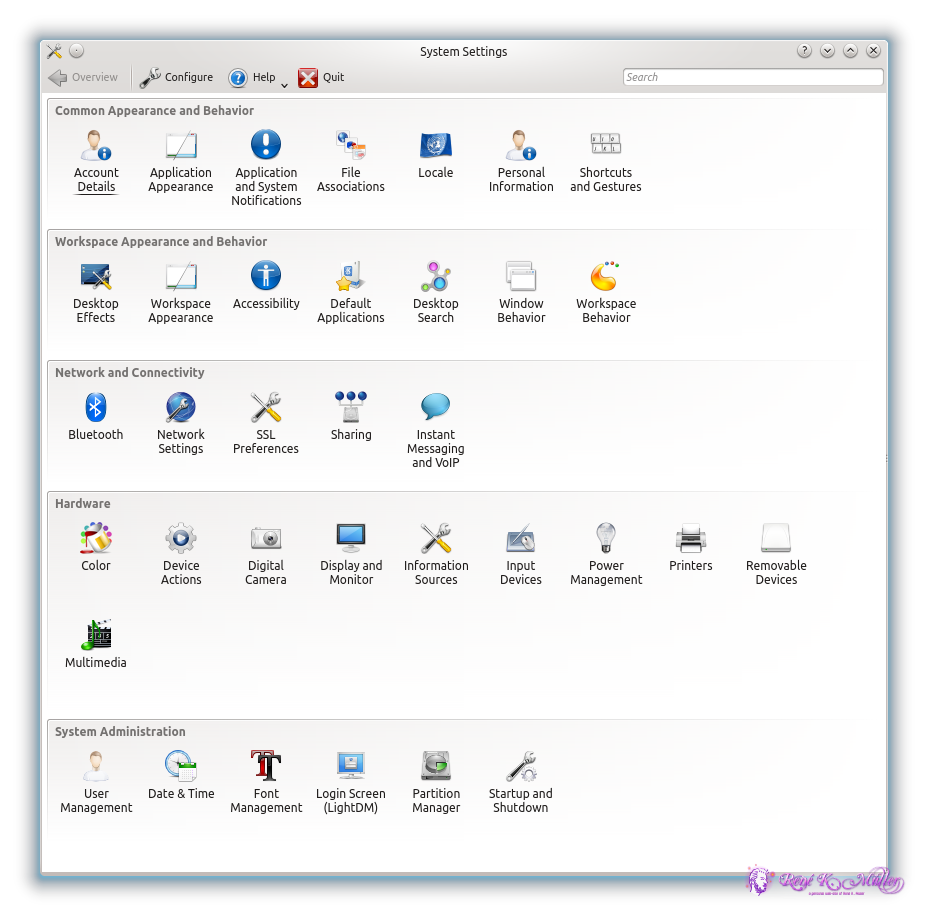
KDE started up, and first I wanted to change the keyboard layout, not use the swiss layout (CH) but US layout - I went to "System Settings" and I found this:
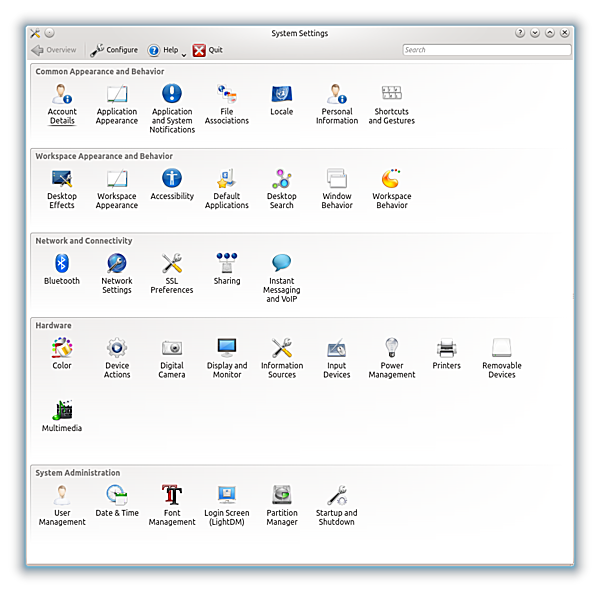
Kubuntu 12.04 System Settings |
You have a minute . . . you won't find it, there is keyboard icon but it's for shortcuts - there is no icon for keyboard configuration, there is no mention of keyboard at all.
This is the state of Open Source Desktop KDE software in the year 2013!
Instead to rumble silently, I took the some time to look for the G+ KDE Community, and posted this , and some informed me to use the internal search engine of KDE to find the keyboard configurator, Jos Poortvliet, from Open SUSE recognized the systemic problem, but his explanation made the entire issue even worse:
(excerpt of the discussion)
Jos: System Settings is a bloody mess, we all know it.
Rene: If it's a mess you recognize (!!) why not fix it? (I would if I could) Can you honestly tell me why it's not fixed? Is it too complicate, or is there no consensus among the developers that it is a mess or nobody cares or dares to fix it?
Jos: It is not fixed because it is HARD to fix. I know it seems easy but it's not, both for technical and practical reasons. ... the System Settings modules are NOT under anybody's control. They are maintained by the maintainers of the applications or subsystems they are associated with. Changing them would require the collaboration of (very rough guess) over 50 people from all around the world, many of which are not even active anymore, who live all over the world, do this in their free time, have different ideas about usability and have different priorities. It is HARD.
Rene: I am fully aware this all seems like details to you, but from a user point of view, this is a major annoyance, and reason not to use KDE, as rediculous it looks like, and I can tell you, when people review KDE for schools or even business (I once made that call for a business solution using KDE), at the end the mess on the "Systems Settings" is reason not to use KDE. And I ask you to read this carefully: it's not disregarded because the icons are wrong, but because it's a mess, and if you can't get even "Systems Settings" coherent, how about the real challenges of the desktop coherently resolved? You communicate an immature state of software with it, even it might not even be true (most of you would argue the backend is great). 10 years is just too much to have this not fixed . . . (that perhaps is the terrible truth)
If you cannot resolve the "System Settings" mess, something as simple as that, how can I expect that something more complicate as "System Settings" to be resolved?
Jos: As I said, it is a hard issue. So saying "if you cannot resolve something as simple as the System Settings mess you can't resolve other things" is wrong: it is NOT simple. It just SEEMS simple to an outsider, that is what I tried to explain.
Rene: Simple vs Hard: let me explain, of course I believe you when you say it's hard, you explained it, but this should not be hard, but simple. Something here has gone wrong, for 10 years, something as "simple" as a "System Settings" should be simple to fix, but it's obviously not - why not? Because of systemic software decision which allows 50 people able to contribute but at the same time stalling the fixing of a mess - this is the message behind our discussion.
Jos: The way KDE is set up is the reason why it has been successful for 17 years now - it might have unfortunate side effects but I can make a good case that if we had set it up different, we wouldn't even HAVE a System Settings in the first place as KDE wouldn't have made it to 2013.
So, while it is annoying, the way we work inherrently leads to the System Settings mess (and more like that) AND it is what enables us to be successful. Can't have your cake and eat it too. We simply have to put in the extra effort to fix this, it is as simple as that, and we will.
Rene: I think you are missing something very important in your perception, and I like to elaborate on this more. I have been studying collaborative groups for quite some time, a group can be formed such that the diverse views aid to a final conclusion (this process might look trivial but is not, consensus that is). You have 50 contributing developers stalling a fix which affects ten or hundred thousands of user, or even more? This is a systemic dictatorship you have formed, 50 contributing developers stall a fix, and you tell me "AND it is what enables us to be successful", no, this limits to be really successful, to be adopted by a BILLION people. You allow a small group to dictate, based on sole technological system decision (how modules expose their configuration) the actual outreach of the entire KDE system.
Jos: KDE can't be successful without contributors. We have a culture of bottom-up guided decision making and killing that culture kills KDE. That culture is what led to System Settings being what it is - changing that has to be done in a way that fits with our culture. You can disagree with that all you want but that won't change reality
Rene: You confirm my worst view of KDE - that is systemic technological mess (obviously), but also culturally by those who contribute. I have no problem as long you KDE developers don't think you actually develop a viable alternative to Win7 or MacOS-X this way. When the mess is part of the cultural identity, so be it - I don't like the mess, I am wasting time and attention, and when it can't be resolved then it makes no sense for me to use it.
(end of excerpt of discussion)
You see, if KDE would be 1-2 years old, one would ignore it and hope someone gifted does create a coherent System Settings, but after 10 years something inherently not resolved means something at the entire decision process within KDE has gone wrong and that goes beyond my random rant but exposes something to really look at for Open Source Software for Linux.
It is widely accepted that MacOS-X has done a tremendous job to simplify system settings, hide the complexity of it and expose it to average users. KDE, the Open Source Desktop software attempt, who merely copies Windows and a bit of MacOS-X, has tried now for over 17 years - and I have been using it apprx. 10 years ago for 2-3 years, and then left it, because no useability improvement has happened, even worse, nowadays you can't even find the Keyboard configuration.
The brief excerpt of the discussion reveals a few significant issues:
- there is a technical limitation
- people who once contributed no longer be reachable, a common effort to resolve it impossible, they actually stall a resolvement
- the mess is part of the culture to code KDE
Now:
- is something to address - let's assume it's not just technical incompetence, but connect directly with the 2) - if it were just technical incompetence there would be no hope for KDE whatsoever.
- people who are no longer reachable should be replaced, as simple as that; package no longer maintained should be purged, period.
- this part is the worst, KDE developers seem not to care the useability, give no or little attention of it - the clichee of Open Source at its finest.
As said, if KDE would be a startup effort, nobody would care, but over 10 years on-going mess, reveals the systemic problem of the KDE development in particular, illustrative to alike projects.
Crowd-coding or Open Source coding does often give great results, Linux on the server is such a story, Linux runs on every Android phone, on millions of servers serving the web-pages we read, the SQL databases of Wikipedia are open-source - it's everywhere, but there are also the example like KDE, where the crowd is unable to bring something useable like a Desktop system to birth, it remains a hardly useable piece of software, even after 17 years. They are happy is has survived just that long, but life just seeing as survival isn't life really.
To step back a little bit, one realizes the collective intelligence can in cases be quite dumb, as I see it in case of the KDE development, or it can be actually dangerous, like the mob who lynches a culprit; on the other hand, the collective can be mature and act responsible, like at the fall of the Berlin wall in 1989 between West- and East-Germany.
The collective intelligence has to have a space and rules to express itself, I know this may sound very bizarre for some to read, but I learned this in Occupy movement in 2011 and also before with my experience running SpiritWeb.org (~1994-2003) with over 100,000 registered members. In case of Occupy it was the General Assembly , and a clear separation of power:
- the facilitator/moderator of the General Assembly (GA) seem to have the power, but was just facilitator: giving the GA a structure, summarize and point out where things need still decision and elaboration
- the actual power remained in the crowd, the GA was the form to provide the space to express the power of the crowd
The GA has a clear structure, everyone can speak, when given the space to speak (one at a time); the facilitator summarizes and the collective acknowledges this, if the facilitator summarizes wrong, it can be voices until the spoken is heared and understood correctly.
Going back to KDE, aside of the technical issue they have to resolve themselves (or even not) it cannot be, that absent people who left the project stall the resolvement of a mess - this is, as I said above, a dictatorship, a passive one due the absense. This is a major flaw in the community awareness and understanding of the KDE development community.
To sum up: a crowd itself cannot express its collective intelligence by the sole gathering, it requires a setup and a structure to allow the parts or individuals of the collective to voice their perception, views, and opinions, and have an instance who reflects and summarizes what has been voiced, bringing it together - without, all opinions are still there, but the parts are not aware of it, and no reflection of such can happen - no self-awareness of the collective is possible. If people who no longer participate an effort are given still influence, this particular undertake stalls, which KDE illustrates well.
One has to pay very close attention to the details, as I experienced in the GA at Occupy Zurich myself, the facilitator defined the tone, the atmosphere which allowed even shy people to voice their point of view; this was an immense win for me to see the responsibility of the facilitator and the service he or she was doing, it wasn't an issue of power anymore or pushing a personal agenda, but help the collective to find its way, to become aware of itself and realize its power and intelligence.
I don't know the KDE community well enough to say that they lack a figure like Linus Torvalds, who operates as that facilitator for Linux - although his people skills are nearly non-existing but his technical skills are excellent - so his technical expertise and focus what Linux should do goes not havoc, whereas in case KDE, there seems no such figure, neither direction . . . headless.
PS: Jos has joined the efforts to create slim version of KDE: KLyDE addressing some of the issues, but it has been one of many attempts according his statement in the past 5-7 years to resolve the known problems, none of the past succeeded.
Update 2013/08/21: A few months ago I ranted about the quality of Linux Desktop approach of KDE, which after 10 years could not deliver a decent desktop. I recently came across ElementaryOS - an Ubuntu-based desktop with slick and intuitive GUI - something I have been waiting for more than 10 years for Linux, finally something to hope for.
|
2012/11/27
UNIX Man on Windows 7: VirtualBox + Ubuntu + LXC | last edited 2013/12/14 06:40 ( *) I code nowadays (2012/11) on a bunch of laptops (with 2nd screens attached) which run on Windows 7 (Win7) mostly - with one keyboard and mouse controlling 2-4 machines using Synergy package.
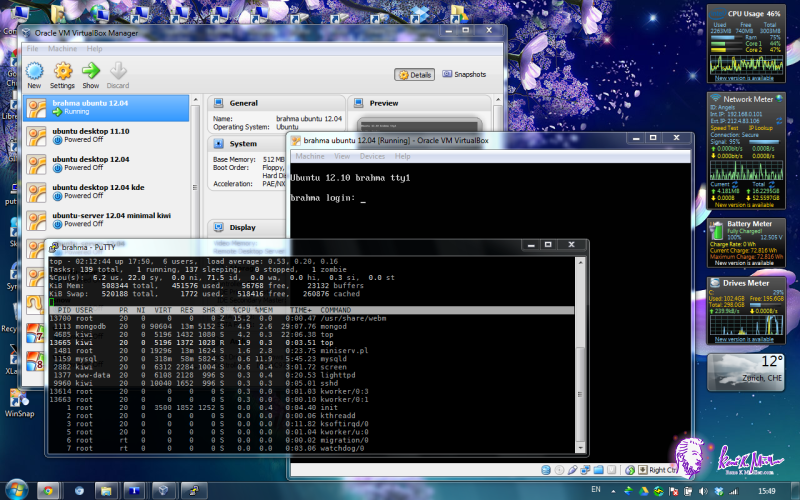
Win7 is suitable for basic works, but in the moment serious programming is required, a real UNIX is required. I used to install Cygwin.com (UNIX framework for Windows) but switched now (2012/10) to VirtualBox.org (VB), which I virtualize an entire LINUX/Ubuntu Server Edition (12.10) box with.
Once it's running and up, I use PuTTY to ssh/login into the virtual machine, and I follow up and install LXC:
% sudo apt-get install lxc lxc-utils
% sudo lxc-create -t ubuntu -n ubu00
% sudo lxc-console -n ubu00
and you will see an actual login:
Ubuntu 12.10 ubu00 tty1

ubu00 login: |
LinuX Containers (LXC) is a lightweight LINUX virtualization approach with little demands on the CPU unlike other approaches such as Xen.org or KVM ; and therefore it is possible to run LXC containers within a VB-box:
- Windows 7 (e.g. 192.168.0.10)
- VirtualBox (with "Bridged Network")
- LXC Host (e.g. 192.168.0.32)
- LXC machine 1 (e.g. 10.0.3.12)
- LXC machine 2 (e.g. 10.0.3.20)
- etc.
or Windows7(VirtualBox(LXC Host(LXC machine 1, LXC machine 2,..)))
The computational overhead of LXC containers to its host is minimal, as LXC is just process isolation, all using the same LINUX kernel.
As a sidenote, VirtualBox.org the Open Source Software (OSS) performs along the commercial competition like VMWare Player , only apprx. 6% difference, VMWare Player slightly faster.
LXC framework on Ubuntu 12.10 provides various templates:
- altlinux
- archlinux
- busybox: 2MB small functional LINUX system
- debian: works right away (apprx. 300MB)
- fedora: requires yum to be installed first (apprx. 485MB)
- opensuse: requires zypper to be installed, failed to compile due immature 'cmake' mess
- ubuntu: works flawlessly (apprx. 310MB)
- ubuntu-cloud: works flawlessly (apprx. 670MB)
Additionally you can clone existing LXC containers, e.g. I created
- ubu00 as default Ubuntu, and
- ubu01, ubu02 are cloned from ubu00,
- alike with deb00 Debian.org etc.
I personally prefer Ubuntu.com LINUX flavor due the solid package manager, and installing the usual components is done quickly, e.g.
% sudo apt-get install screen lighttpd mysql-server mysql-client mongodb samba
With a decent equipped laptop (e.g. 3GB RAM, 2 cores, 2GHz) a reasonable responsive LINUX box with LXC-based virtualized sub-machines is possible, ideal for development (e.g. CMS like Wordpress.org / Typo3.org / Drupal.org or Mediawiki.org ) and testing configurations intensively.
Update 2012/11/30: I began to work with server hardware, where I was creating 40 LXC machines, and start and stop them in batch, and I noticed larger amount of LXC do not start and stop reliable as of Ubuntu 12.10, e.g. out of 40 about 1-7 machines fail to start or stop (lxc-stop hangs actually) every 2nd or 3rd time of starting or stopping. So, it's good for experimenting, but for production it seems not yet ready. A quick solution is to put a sleep of one second before starting the next container. I will issue a bug report addressing problem.
Update 2012/12/21: Nested LXC and juju cloud framework: LXC in Ubuntu 12.04 , useful overview and details.
|
2012/07/10
Metadata - The Unresolved Mess | last edited 2012/07/21 09:01 ( *) We count the year 2012, cloud computing and cloud storage has arrived, and still increasing. We expect all our data available 24/7 and every device is online and grants us access to the internet - The Big Big Cloud of Everything.
Metadata is the description of the data. So what does it mean?
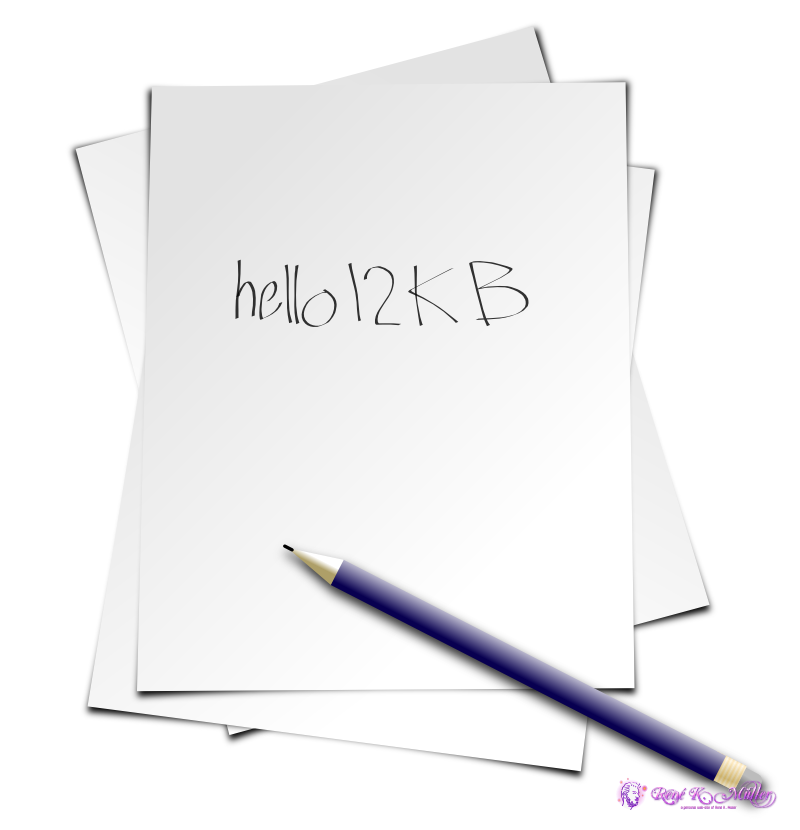
Let me give you an example: I provided computer-support for many of my friends and one friend in particular used to call me almost daily to resolve some of his problems - and I used to tell him "write things down". Now, he forgot logins and passwords of services he used, also root passwords of the machines I installed and I said "write down the password!", and he did: on a piece of paper, and he wrote down "hello12KB" (as example):
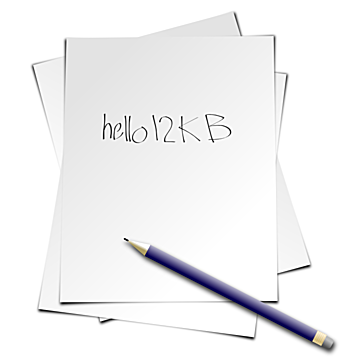
Pieces of paper with passwords on them: Data without Metadata |
Weeks passed by, and you guess right, there were several pieces of paper with words on them written on . . . which password belonged to which login, which computer or which web-service? The data which described the data was NOT written down - and you assume correct, without the metadata your data becomes useless.
"My Thesis 2.doc" or "Test.doc", "New Test.doc", yes, those are the filenames which should describe what the data is.
I personally name files with some relevant metadata, e.g. including the date "2012-07-10" or so, like "My Thesis 2012-07-10.odt"
Bad habit is to name files like "July 10, 2012" because no simple sorting by filename gives a relevant order, month names sorted alphabetically doesn't bring you anything. Likewise "07-10-11" is even bigger non-sense, what is the year, month and day here? Right, you write it always the same way, but others have to guess? No matter how smart you name the files, you can't embed all what you really want - filenames would become unreadable.
The use of directories or folders has helped a bit:
- Thesis 2012/
- Notes/
- Sketches/
- Mindmap By S. Sturges 2009.pdf
- Human Psyche 2012-07-10.odt
- Human Psyche 2012-07-10.pdf
Files of importance are fully qualified, means, even without context (location in the filesystem) reveal their identity. Disposable files, like text-file with URLs or notes have the same filename, yet, depending on location show the relevancy by their association or context only. But this isn't really covering metadata at the level it should be!
Metadata has been neglected hugely, because it is a pain to preserve, obtain or (re-)create.
I addressed this challenge with Universal Annotation System (UAS) but I admit, I hardly use it - it is not truly integrated so well in the system, it is just an add-on, but it works on Linux, Windows (CLI/Cygwin /Perl ) and MacOS-X (CLI) - no desktop interface yet made (which I should do).
MP3 by default supports several metatags: title, artist, album, year, genre, even the cover photo is preserved when you copy the mp3 file. You need special software to manipulate the metadata.
Every webpage has a URL and a title, aside of the content itself. The URL is like the path and filename on your local computer, but the title is most useful metadata. One could argue the entire markup of HTML gives more information, but HTML has been a mix of design and markup content and now is a complete mess so to speak: <b>bold</b> means what? Something is important or just rendered bold? Is <strong> more meaningful? I guess you get my point: design and true markup distinction has been blurred and due to this unfortunate circumstance a lot of metadata lost even at the moment of data creation it was existant.
The metadata in JPEG photos are actually done well, thanks to EXIF - which contains most important metadata, the shutter time of the photocamera, time & date (even though often timezone is unknown) and often now also GPS based location. Needless to say, many graphic programs do destroy the EXIF metadata, overwrite it because it's no longer able to contribute - this is due the ignorance of the developers and the limitation of the metadata format.
Before I can jump on the solution, let me look closely to the problem itself: the way we store data. How can we even put metadata to data? The filename convention is limiting, extend existing file-structure is . . possible, when we all would agree any file-format being like a XML or alike structured file, in which we could put as many metadata fields we like, followed with binary data itself, for example:
<xml>
<title content="DSC0001"/>
<date content="2012/07/10 15:10:07.012" timezone="+1:00"/>
<location longitude="20.1182" latitude="8.3012"
   elevation="800.23" celestialbody="Earth"/>
<annotation type="audio/mp3" encoding="base64">...
   ....</annotation>
<revision date="2012/07/12 10:05:01.192">GIMP-1.20:
   brightness(1.259),
   contrast(2.18),
   rgbadj(0.827,1.192,0.877)</revision>
<annotation type="image/jpeg"
   encoding="binary" length=50982>....
</annotation>
</xml>
that would be a photo taken with a photo-camera, with some audio attached (describing or recording some sound) and then altered with GIMP.
Technically such a transition could be made with tampering with the open() call (opening a file) in the Operating System (OS) and related low-level file access libraries, thereby and skip over the XML for all applications, and openXML() which opens the file including the XML chunk and parse the header. Important would be, that file-copy operations would use openXML(), where all other existing programs, e.g. GIMP or Photoshop still would read an existing JPEG using a tampered open() which skips the heading XML chunk.
Once this would be done, we could easily start to attach metadata to our data, since it would be integrated to the existing file.
I realized, all other ways to attach metadata externally provides problems to keep it properly attached - only in a tightly supervised system you can ensure metadata remaining tied to the data.
First of all the title has to be given, so the filename could be anything, the title is the most relevant piece of metadata.
Further, date & time and time should be as exact as possible (not just seconds, but milliseconds or microseconds).
Further, location of the creation of the data.
Further, all alterations done to the file. One could even store the delta (diff) in the metadata so the revision could be undone independent of the filesystem - that means, a file can be transfered among filesystems with its own revision history embedded.
<revision
   date="2010/07/08 09:10:13.1823" timezone="+1"
   comment="Changed color from red to blue"
   type="data/diff"
   encoding="base64">7sn38vma85...26743abf738</revision>
Let me use the above folder example, and make it ONE file:
<xml>
<title content="Thesis 2012"/>
<date content="2012/07/10 15:10:07.012" timezone="+1:00"/>
<location longitude="20.1182 latitude="8.3012"
elevation="800.23" celestialbody="Earth"/>
<annotation title="Sites" type="text/html">
<a href="http://important.com/link/to/some/data.sqldump"
>study 1996-01-20 raw data Prof. Studer (Vienna)</a>
</annotation>
<annotation type="text/odt"
encoding="binary" length="125162"
>....</annotation>
<revision
date="2010/07/08 09:10:13.1823" timezone="+1"
location.longitude="20.1182" location.latitude="8.3012"
location.elevation="800.23" location.planet="Earth"
type="data/diff"
encoding="base64">7sn38vma85...26743abf738</revision>
</xml>
Features:
- All notes are included, e.g. as HTML
- Revisions either are stored within the odt, or as <revision>.
this way we can trace changes, view or undo changes even at a much later time - still have the notes attached to the original research.
Currently (status 2012/07) only MacOS-X does the desktop search right, all data is indexed at storage time, there is no post indexing. Windows 7 and Linux are still a mess regarding desktop search, you have to fiddle around which data gets indexed, or you are provided with the worst kind of searching: searching a string in all files means opening all files and read them all - in the age of terrabytes (~1012 bytes) harddisks this is a matter of several hours to even days, depending on the reading speed. It is incredible that so little attention has been given to this aspect of offline or desktop searching, except Apple.com , which does many things right, a few things not; whereas the Open Source community as well Microsoft try to catch up in regards of innovation.
The solution is simple: make the filesystem a database. Auto-index all data, start with proper filetype based on MIME types, and properly assign helpers and indexer based on the MIME types.
Index not just strings or text, but also graphics, pixel-based but also vector-based (e.g. SVG) and music so one can find similar forms and structures in data.
With a database view or access to properly "metadata-sized" data we actually begin to understand the data we have . . . Google has done its part to provide searching capability to the internet, but how does it when I want to find a book whose title is the same as the title of a dish or name of a city - the context is part of the metadata, and it is only considered via tricks such as including a related term uniquely connects to the context one searches.
A pseudo SQL-like statement:
select * from files where mtime > -1hr and revision.app == 'gimp'
Give me all files altered the last hour by the GIMP (Photoshop-like Open-Source image editor), or imagine this:
select * from files where image ~
and lists a photo from your vacation:
or
select * from files where image ~ circle(color=blue)
and the results look like this:
Metadata is best obtained at the moment of data creation - at that moment it needs to be preserved, stored and properly made available for searching.
Let's see what comes the next years . . .
|
2010/01/26
Cellphone Networks: Thieves, Insanity & Crap | last edited 2010/03/21 10:29 ( *) I moved from Switzerland to France, and I thought I just buy a new phone "S by SFR 112" and test a new french phone-carrier, in my case SFR.fr . After 2 month the display broke, when I moved to the store to ask for a repair and warranty, both was denied . . . the LCD display broke, not the glass protecting it, I wasn't aware when it broke, it fell a few times without problems, one day I noticed the broken crystal display.
So, they deny the warranty, they sell a phone which breaks all of the sudden, the customer care of SFR replied "just bad luck" - wow. Euro 30 lasting two months. They asked me if I like to buy another cellphone.
Ok, that moment I thought, let's SIM unlock my swiss chellphone Nokia 1209, it cost me Euro 20, about Euro 15 discount by Sunrise.ch , without SIM lock it would have cost Euro 35, but that I found out later. So I purchased it at Sunrise - about 8 months later, me in France, ask for the legal unlock:
Handys, welche mit einer Prepaid Nummer bezogen werden, verfügen über einen Simlock von 24 Monaten. In dieser Sperrfrist von 24 Monaten (bis am 09.04.2011) ist es nur möglich, den Unlock Code gegen Bezahlung von CHF 300.- zu erhalten.
which in plain english means:
Mobile phones sold under prepaid condition contain a 24 month SIM lock. During this lock time (until April 9, 2011) it's only possible to unlock with a payment of CHF 300.
This is insane . . .
That's about 8x times more than a single unlocked cellphone . . . at that point you realize, they are either thieves or insane. That they are able to operate a sophisticated network of cellphone towers is amazing. That's only possible when the insane people are actually working at the sales department, and not are technicians.
Update 2010/03/20: I've got a new Samsung E2100B cellphone, and when I demand how much balance I have for the prepaid, and I'm not in range or bad reception, the phone locks up that I can't receive calls or messages even when in good reception - solution: turn the cellphone off and on again (aka "reboot"). It took me a while to realize, after people tried to reach me or sent messages. What does it tell us? Cellphones getting more and more complicate, and flaws and bugs become more and more - the same everywhere. They can't even make a phone in 2010 which can retrieve the balance via SMS from a provider like SFR.fr , and then still be operational afterwards . . . and some people wonder how we ever made it to the moon the first time, when 40 years later cellphones don't even provide reliable basic functionality. The devil lies in the detail - and those details are the many in more and more complex systems all around us (shrugg!!).
|
2009/09/26
MacOS-X for a UNIX Man with a PC | last edited 2009/10/30 10:28 ( *) 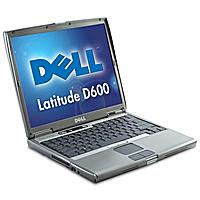
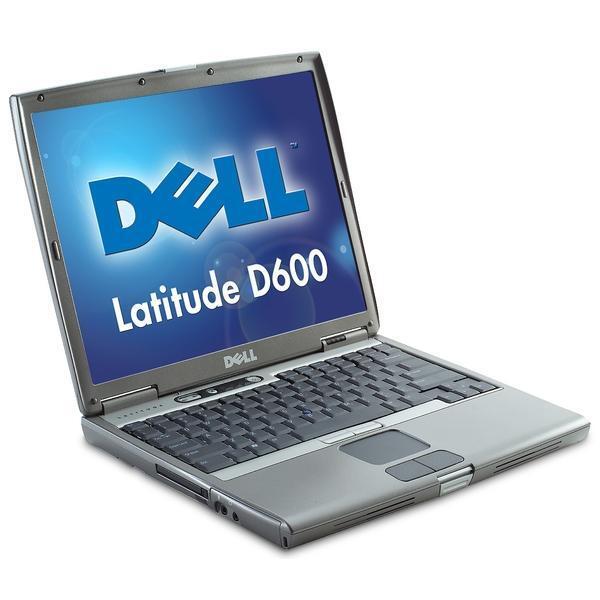
Dell Latitude D600 |
Well, I've got another occassion laptop, a Dell Latitude D600 (2004):
- 1.4GHz Pentium M
- 512MB RAM (2x 256MB, max 2GB)
- 14.1" 1024x768
- IDE 20GB local disk
The 1024x768 are meager, but external LCD supports up to 1600x1200.
And I remembered that a hacked version of MacOS-X 10.5.x actually installs quite well. So I gave it a try with iDeneb v1.3 (MacOS-X 10.5.5), and
- booting from DVD
- clicked through until the installation location was listing no disk at all
- entered "Utilities" - "Disk Utility" and erased the disk with HFS+ Journaled, as next I created 1 partition, and exited afterwards the "Disk Utility" and went back to the installer
- the "Installation Volume" appeared (the partition I just made)
- followed the "Customize" and enabled most patches, in particular the wireless "Broadcom" (which I later saw didn't make a difference, wireless doesn't work)
- skipping DVD integrity checking
- installation starts, it took a bit more than 1.5 hours to install the system
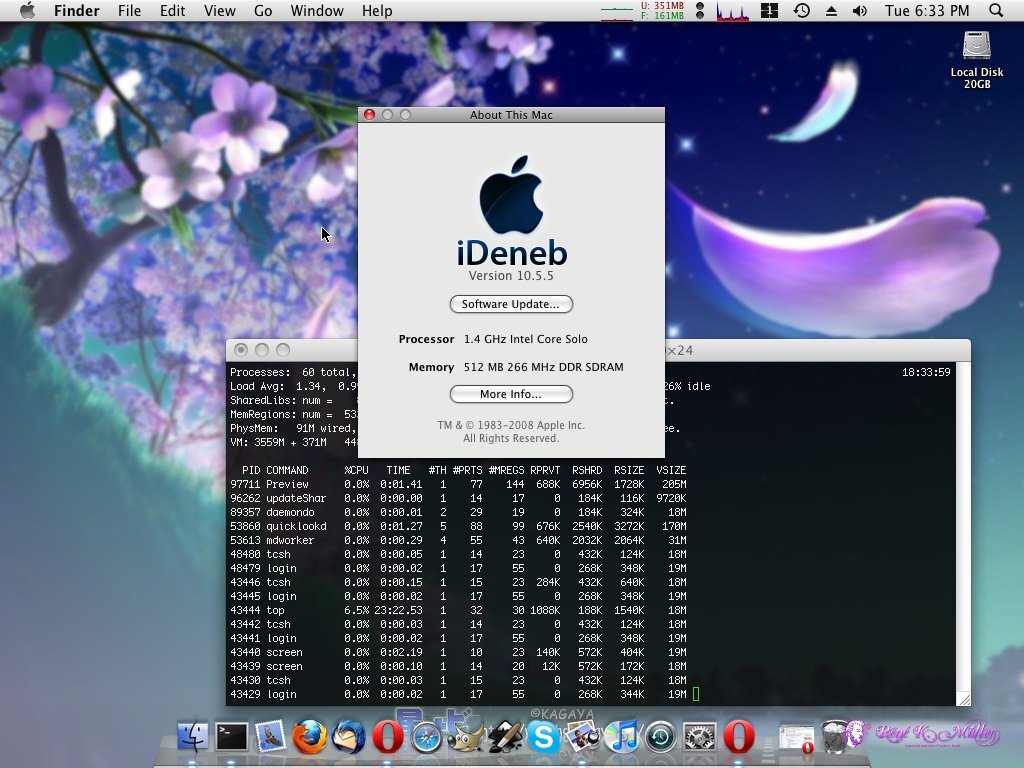
As next it booted, since I have only 1024x768 XGA resolution, I set the fonts down to 10px, and antialiasing, making the amount of information dense enough for the small resolution again.
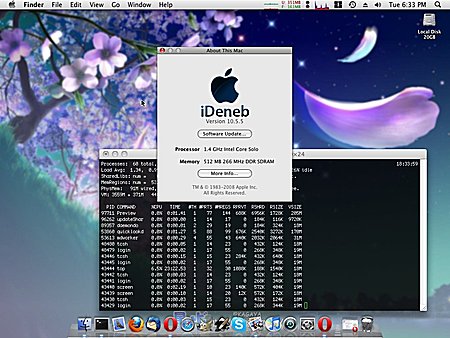
iDeneb V1.3 (MacOS-X 10.5.5) on Dell Latitude D600 (1024x768) |
I started to install the usual Open Source pearls:
- Firefox, Thunderbird
- GIMP, Inkscape, OpenOffice
- VirtualBox
and also Closed Source apps like
Since my 1TB was NTFS, I thought it would like a charm, the read-only works, but when I enabled the write support via MacFUSE and NTFS for Mac as well, and connected the USB external disk, and began to copy some data the system froze for a moment of 10secs, and tried again to repeat and at first sight it seemed to work, but when I put the USB disk back on the Windows XP or the Kubuntu 9 system, ._ files seem to lay around unable to delete - I tried to fix it with ntfswipe but no available, the program crashed. Reattached on Windows I ran in the shell chkdsk /f g: which corrected the corruption. Very bad, but I didn't lost any data from a 80% filled 1TB disk.
Anyway, here a list of failed programs under iDeneb 1.3 (MacOS-X 10.5.5) on the Dell Latitude D600:
- external WD My Book Essential 1TB NTFS disk: data corruption
- iCal: coredumps
MacPorts.org is a great setup, but first I required to install XCode-3.1.3 from Apple.com so make/gcc is around - torrents also exist, 1GB to download. As next I made sure my MacPorts' Perl is used and all subsequent modules:
cd /usr/bin; mv perl perl.dist; ln -s /opt/local/bin/perl
port install perl5
and make sure /opt/local/bin and /opt/local/sbin are in the path of your shell (.profile or .cshrc).
I gonna get iDeneb 1.5.1 (MacOS-X 10.5.7) seems to solve some problems, yet, the unreliable USB/NTFS issue is the biggest problem with this setup, as this machine has USB 2.0 and with my 1TB be sufficiently faster than with USB 1.1 on the older Dell C600. As soon I tried it I will post an update.
iDeneb 1.5.1 (MacOS-X 10.5.7): can't finish install, stays in a loop for the last "3 minutes" for hours - incomplete bootloader, no network - finally could make it bootable by stripping down drivers and bootloader, but then system was unusable only booting via DVD and F8 defining "rd=disk0s1" I could boot - unuseable.
It's clear, putting MacOS-X on an ordinary PC is a hassle and probably also good so - as that OS is really meant to run on Apple made hardware, and there it runs like a charm. For myself I keep iDeneb 1.3 (MacOS-X 10.5.5) running for some more time, and then choose an alternative, e.g. either iPC-OSX86 or going for the awaited Kubuntu 9.10 again.
|
Older posts:
Windows XP for a UNIX Man (2009/09/22 16:28)
Server Counting (2009/05/18 09:50)
Automatically Geotag Photos without GPS (2009/04/22 06:28)
Rebirth of FastCGI (2009/04/15 15:17)
Online Advertisement & Income for Web-Site Owners (2009/03/18 21:10)
iPhone JavaScript Frameworks (aka Avoiding Objective-C) (2009/03/14 21:08)
Google - The Almighty Tracker & Advertising Blocking (2009/03/12 21:09)
How To Save 300MB RAM (2009/03/07 21:07)
Verbosity of Programming Languages (2009/03/06 21:06)
Problems with MacOSX (2009/03/03 21:03)
MacOSX: My First Steps (2009/02/24 08:57)
Catch 22 with HDD/DVD Recorder Medion Life (2009/02/24 08:27)
Kubuntu 8.1 as guest on VirtualBox MacOSX host (2009/02/24 00:33)
VirtualBox vs VMWare Fusion on MacOSX (2009/02/24 00:19)
SQL vs GREP with 230K lines (12MB) GeoLite (2009/02/23 19:10)
Kubuntu 8.1: Eye-Candy & Memory Waste (2009/01/24 08:57)
Firefox 2.0.x / 3.0.x - Memory Waste (2009/01/22 18:34)
| | |
.:.
|



 2010: India
2009: France: Two Tours
2008: Tour de Romandie
2008: Zug - Bern - Zug
2008: Strasbourg
2008: Europe
2007: France
2005: France & Italy
2004: USA: Denver - Sedona
2004: Lenzburg - Marseille
2004: La Gomera
2003: Sardinien
2003: La Gomera
2002: Korsika
2002: Bordeaux - Hendaye
2010: India
2009: France: Two Tours
2008: Tour de Romandie
2008: Zug - Bern - Zug
2008: Strasbourg
2008: Europe
2007: France
2005: France & Italy
2004: USA: Denver - Sedona
2004: Lenzburg - Marseille
2004: La Gomera
2003: Sardinien
2003: La Gomera
2002: Korsika
2002: Bordeaux - Hendaye